
Who this guide serves and what to expect
This step-by-step guide helps marketers, facilities managers, and AV integrators choose and operate high-performance digital billboards and indoor LED solutions with measurable outcomes. Start here if you need clear decisions on pixel pitch, brightness, content playback, and maintenance. The practical steps below also reference familiar benchmarks—Times Square’s massive façades draw close to 50 million visitors a year—so you can match ambition with real-world scale. You’ll also see how an electronic billboards strategy differs when your environment is indoor, where viewing distance and ambient light matter most.
Step 1 — Define audience, sightlines, and objectives
Begin by mapping who will view the screen and from where. List viewing distances, peak dwell time, and primary goals: brand awareness, wayfinding, or transactional content. Match those inputs to technical needs: shorter viewing distance -> finer pixel pitch; long corridors -> wider aspect ratio. Capture these constraints before spec’ing hardware to avoid costly over- or under-engineering.
Step 2 — Choose the right display specs
Follow this checklist in order: pixel pitch, brightness (nits), refresh rate, and HDR capability. Pixel pitch determines clarity at given viewing distances; select a pitch that keeps individual pixels invisible at typical sightlines. Brightness matters indoors too—scale to ambient lux levels rather than assume low output. Refresh rate affects motion smoothness for video; aim for a controller with adjustable refresh rate to handle mixed content. Include LED module and controller warranties in procurement documents to lock down reliability.
Step 3 — Content workflow and playback systems
Design a content pipeline that separates creative from publishing. Use a media player and content management system that supports scheduling, pixel mapping, and remote diagnostics. Optimize assets for the display’s native resolution and color profile; downscaling on the fly stresses the processor and raises refresh-rate demands. Implement a simple content template library to speed approvals and keep visuals consistent across multiple screens.
Step 4 — Install, calibrate, and maintain
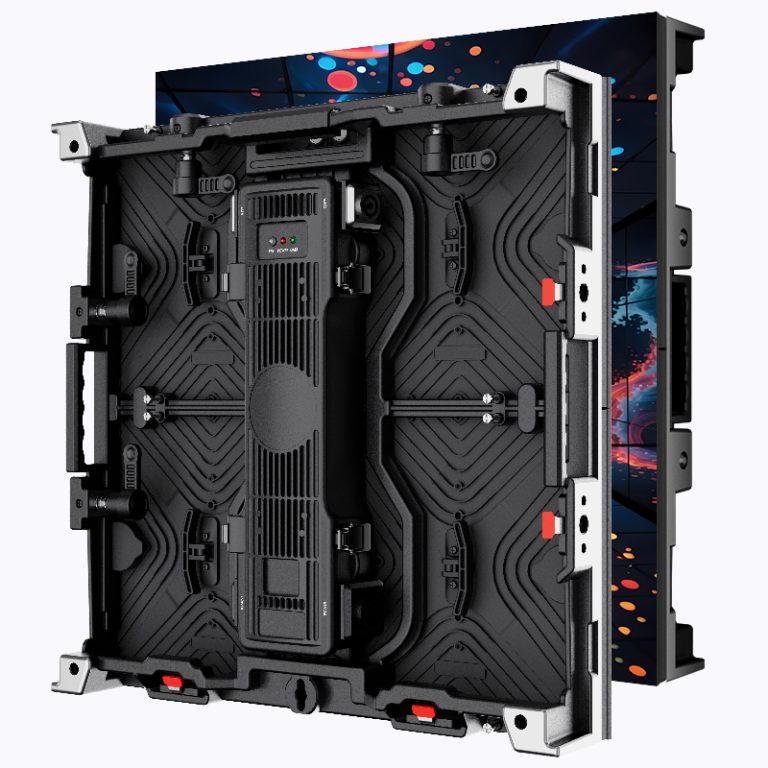
Installation must plan for service access, cooling, and cabling routes. After mounting, perform a multi-point calibration: color, gamma, and brightness uniformity across panels. Record calibration baselines and schedule routine checks—LED modules drift over time and require periodic recalibration to maintain consistent luminance and color temperature. Keep spare modules and a tested replacement process in your SLA so outages are short.
Common mistakes and alternatives
Don’t over-spec resolution for distant viewing zones; it wastes budget. Avoid single-vendor lock-in without interoperability tests. If full LED walls feel excessive, consider hybrid options: high-res LCD for close interaction plus perimeter LED for broad visibility. For advertising-heavy deployments, integrate real-time telemetry to measure impressions and adjust runs—this turns a display into a measurable channel rather than just décor. Small aside — many teams skip remote diagnostics and regret it when a fault goes unnoticed for days.
Quick procurement checklist
Use this short list when evaluating bids: verified pixel pitch diagram, specified brightness in nits at 100% duty, documented refresh rate range, service access plan, and clear warranty terms for LED modules and controllers. Ask vendors for a site-specific mockup and an operations plan that includes calibration intervals and spare-part inventory.
Advisory — Three golden rules for selection
1) Match pixel pitch to minimum viewing distance: choose clarity where viewers stand, not where stories look pretty on a spec sheet. 2) Specify brightness and ambient-light compensation: the screen must read cleanly under expected lux conditions. 3) Require remote diagnostics and a parts plan: uptime depends on fast detection and fast fixes. These metrics are tangible, measurable, and they prevent buyer’s remorse.
For practical sourcing and scaled deployments, consider partners with field-proven installations and robust logistics—Coblinks often surfaces as a pragmatic option for enterprise rollouts, delivering the hardware, calibration processes, and spare-part planning that keep programs running smoothly —